

Arduino Sensor Kit Basic
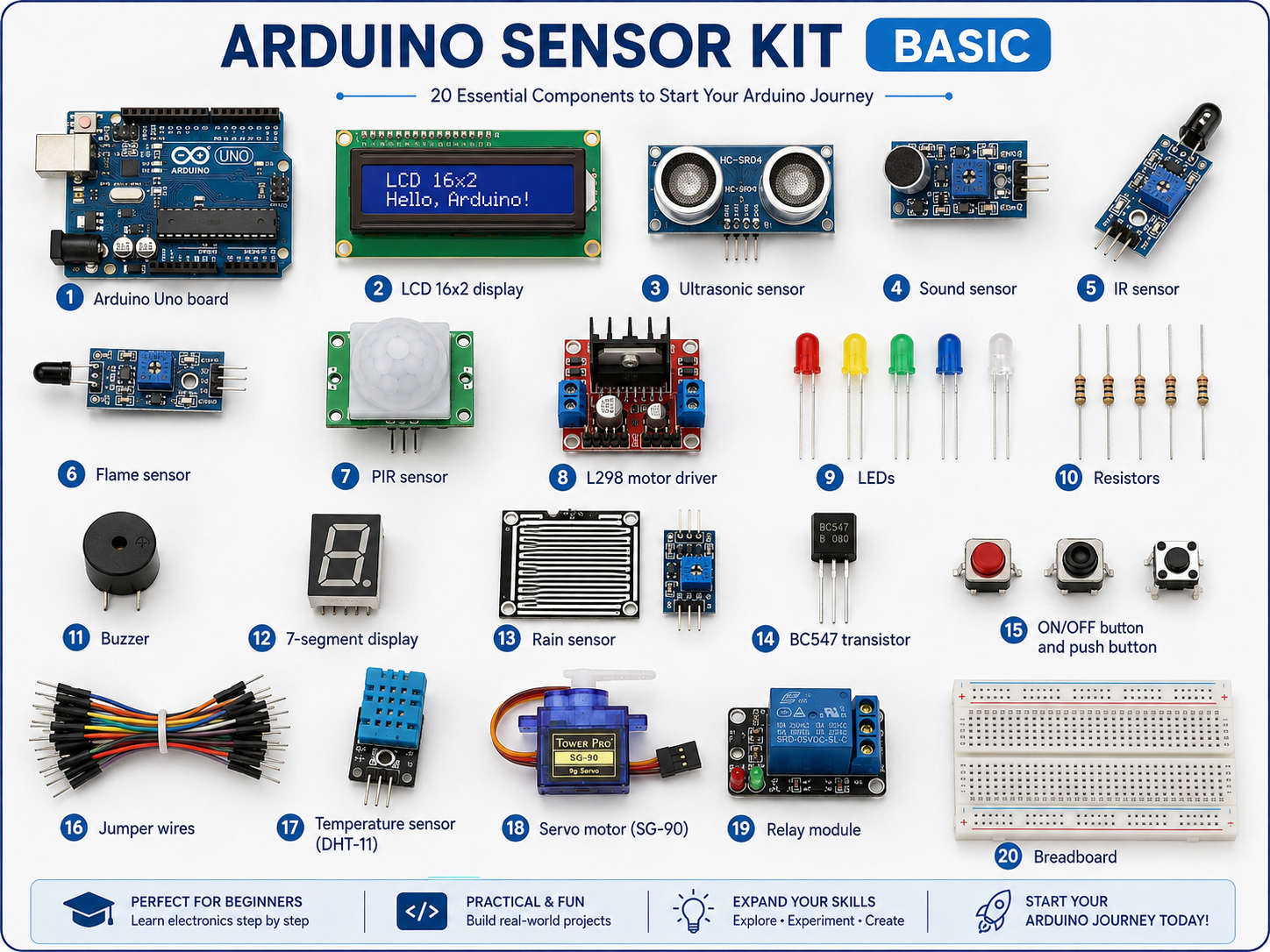
The Arduino Sensor Kit Basic contains commonly used sensors, actuators, displays, and electronic components that allow beginners to learn Arduino programming, sensor interfacing, automation, and basic embedded-system development.
Components
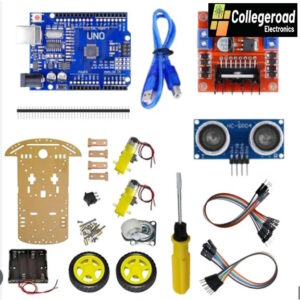
1. Arduino Uno
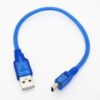
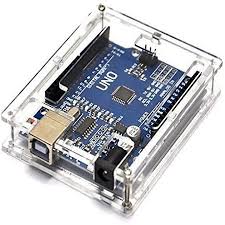
The Arduino Uno is the main controller of the kit. It is based on the ATmega328P microcontroller and provides digital and analog input/output pins for connecting sensors and other electronic devices. Arduino programs are written on a computer and uploaded to the board through a USB connection. It acts as the brain of almost all projects developed with this kit.
2. LCD (16×2)
The 16×2 Liquid Crystal Display can display 16 characters on each of its two rows. It is commonly used to display sensor measurements, system status, warning messages, temperatures, distances, and other information generated by the Arduino.
3. Ultrasonic Sensor
An ultrasonic sensor, such as the HC-SR04, measures the distance between the sensor and an object. It transmits ultrasonic sound waves and measures the time required for the reflected wave to return. Arduino uses this travel time to calculate distance. It is commonly used for obstacle detection, parking systems, and automatic robots.
4. Sound Sensor
The sound sensor detects the presence or intensity of sound in the surrounding environment. It normally contains a microphone and signal-conditioning circuit. The Arduino can use its output to detect claps, knocks, alarms, or other sufficiently strong sounds.
5. IR Sensor
An Infrared (IR) sensor detects objects or obstacles using infrared radiation. The transmitter emits infrared light, while the receiver detects the reflected signal. IR sensors are frequently used in obstacle-detection robots, object counters, line-following systems, and proximity detection.
6. Flame Sensor
A flame sensor detects infrared radiation produced by a flame. When a flame is detected within its operating range, it provides a signal to the Arduino. It can therefore be used in basic fire-warning and flame-detection experiments.
7. PIR Sensor
A Passive Infrared (PIR) sensor detects movement of people or animals by sensing changes in infrared radiation. Unlike an ultrasonic sensor, it does not transmit a signal continuously. It is commonly used in security systems, automatic lighting, and motion-activated alarms.
8. L298 Motor Driver
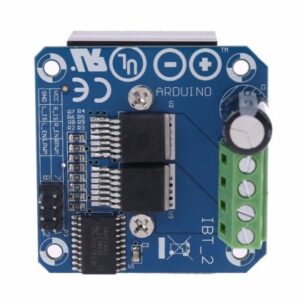
The L298 motor driver allows an Arduino to control DC motors because the Arduino pins cannot directly provide the current required by most motors. The driver can control motor direction and speed and can also be used to control two DC motors independently.
9. LEDs
Light Emitting Diodes (LEDs) convert electrical energy into visible light. They are useful for indicating ON/OFF conditions, alarms, sensor states, communication status, and different operating modes. Different LED colors can represent different conditions.
10. Resistors
Resistors limit electric current and create required voltage levels in electronic circuits. They are especially important when connecting LEDs to Arduino pins because excessive current can damage both the LED and the Arduino. Resistors are also used for pull-up, pull-down, and voltage-divider circuits.
11. Buzzer
A buzzer generates an audible sound when electrically activated. Arduino can operate the buzzer to provide alarms, notifications, button feedback, or warning signals. Different sound patterns can also be generated through programming.
12. 7-Segment Display
A 7-segment display consists of seven LED segments arranged to display numerical digits from 0 to 9. Individual segments are controlled by the Arduino to generate the required number. It is commonly used for counters, timers, scores, and numerical measurements.
13. Rain Sensor
The rain sensor detects water or raindrops falling on its conductive sensing surface. Its output changes according to the amount of water present. It can be used in weather monitoring, rain alarms, automatic window-closing systems, and irrigation-related projects.
14. BC547 Transistor
The BC547 is an NPN bipolar junction transistor. It can work as an electronic switch or as a small-signal amplifier. In Arduino applications, it is commonly used when the Arduino needs to control a device that requires more current than an individual Arduino output pin can safely provide.
15. ON/OFF Button and Push Button
An ON/OFF button or switch is used to enable or disable a circuit or operating function. A push button provides a temporary digital input while it is pressed. Push buttons can be used for starting or stopping a process, changing operating modes, resetting counters, or manually controlling devices.
16. Jumper Wires
Jumper wires provide electrical connections between the Arduino, breadboard, sensors, and other electronic components. They allow circuits to be constructed and modified quickly without soldering.
17. Temperature Sensor (DHT11)
The DHT11 is a digital temperature and humidity sensor. It communicates with the Arduino digitally and provides measurements of ambient temperature and relative humidity. It is useful for environmental monitoring, room-condition monitoring, and basic weather-station projects.
18. Servo Motor (SG90)
The SG90 is a small servo motor whose angular position can be controlled by the Arduino using a PWM control signal. It is commonly used to move mechanisms to specified angles, typically within approximately 0–180°. Applications include automatic doors, barriers, robotic arms, and sensor-scanning systems.
19. Relay Module
A relay module is an electrically controlled switch. A low-voltage Arduino signal can control another electrical circuit through the relay. It is useful for demonstrating the control of lamps, fans, pumps, and similar loads. Proper electrical isolation and safety precautions are required when controlling mains-voltage equipment.
20. Breadboard
A breadboard is a reusable platform used to construct electronic circuits without soldering. Components and jumper wires are inserted into interconnected holes, allowing circuits to be assembled, tested, and modified conveniently.
Projects Using the Arduino Sensor Kit
Project 1: Ultrasonic Distance Measuring System
Components:
Arduino Uno, ultrasonic sensor, LCD 16×2, buzzer, LEDs, resistors, breadboard, and jumper wires.
The ultrasonic sensor continuously measures the distance of an object. The measured distance can be displayed on the LCD. LEDs can indicate different distance ranges, while the buzzer can generate a warning when an object comes too close.
Applications: Parking assistance, obstacle detection, and distance measurement.
Project 2: Automatic Security Alarm
Components:
Arduino Uno, PIR sensor, buzzer, LEDs, LCD, resistors, breadboard, and jumper wires.
The PIR sensor monitors an area for human movement. When motion is detected, the Arduino activates a buzzer and warning LED. The LCD can display messages such as “Motion Detected” or “Area Safe.”
Applications: Home security, room monitoring, and intrusion detection.
Project 3: Fire and Flame Detection System
Components:
Arduino Uno, flame sensor, buzzer, LEDs, LCD, relay module, resistors, breadboard, and jumper wires.
The flame sensor continuously monitors the surrounding area. When a flame is detected, the Arduino activates a buzzer and warning LED. The LCD can display a fire-warning message. A relay may also be activated to demonstrate control of an external safety device.
Applications: Fire-warning demonstrations and laboratory safety systems.
Project 4: Temperature and Humidity Monitoring System
Components:
Arduino Uno, DHT11, LCD 16×2, LEDs, buzzer, breadboard, and jumper wires.
The DHT11 measures temperature and relative humidity. The Arduino processes the measurements and displays them on the LCD. A warning LED or buzzer can be activated when the temperature exceeds a programmed threshold.
Applications: Room monitoring, environmental monitoring, greenhouses, and weather stations.
Project 5: Automatic Rain Detection Alarm
Components:
Arduino Uno, rain sensor, buzzer, LEDs, LCD, servo motor, breadboard, and jumper wires.
The rain sensor detects the presence of water. When rain is detected, the Arduino activates an alarm and displays a message on the LCD. The servo motor can additionally represent an automatic window or roof-closing mechanism.
Applications: Smart windows, weather monitoring, automatic roof systems, and rain alarms.
Project 6: Clap-Controlled LED
Components:
Arduino Uno, sound sensor, LED, resistor, breadboard, and jumper wires.
The sound sensor detects a sufficiently loud clap or sound. Arduino processes the sensor signal and toggles an LED between ON and OFF states whenever a valid clap is detected.
Applications: Sound-controlled lighting and contactless switching demonstrations.
Project 7: Automatic Door System
Components:
Arduino Uno, ultrasonic sensor or PIR sensor, SG90 servo motor, LCD, LEDs, breadboard, and jumper wires.
The sensor detects a person approaching the door. When a person is detected, Arduino rotates the servo motor to simulate opening the door. After a programmed delay, the servo returns to its original position and closes the door.
Applications: Automatic doors, access systems, and smart-building demonstrations.
Project 8: Object Counter
Components:
Arduino Uno, IR sensor, 7-segment display, push button, resistors, breadboard, and jumper wires.
The IR sensor detects objects passing in front of it. Each detected object increases a counter stored by the Arduino. The total number of objects is displayed on the 7-segment display. A push button can be used to reset the counter.
Applications: Production-line counting, visitor counting, and product counting.
Project 9: Obstacle-Avoiding Robot
Components:
Arduino Uno, ultrasonic sensor, L298 motor driver, DC motors, SG90 servo motor, jumper wires, and supporting components.
The ultrasonic sensor measures the distance in front of the robot. When an obstacle is detected, Arduino controls the motors through the L298 driver to stop or change direction. The ultrasonic sensor can also be mounted on the servo motor so that the robot can scan different directions before deciding where to move.
Applications: Autonomous robots, robotics education, and navigation experiments.
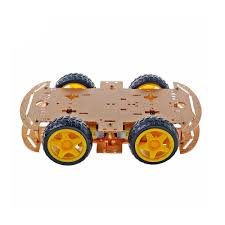
Note: DC motors, wheels, chassis, and battery supply would need to be added if they are not already included in the kit.
Project 10: Smart Multi-Sensor Home Monitoring System
Components:
Arduino Uno, PIR sensor, flame sensor, rain sensor, DHT11, LCD, buzzer, LEDs, relay module, push buttons, breadboard, and jumper wires.
Several sensors can be combined into one Arduino-based monitoring system. The DHT11 monitors temperature and humidity, the PIR sensor detects movement, the flame sensor detects fire, and the rain sensor detects water. The LCD displays the current condition while LEDs and the buzzer provide visual and audible warnings. The relay can be used to demonstrate automatic control of an external device.
Applications: Smart-home demonstrations, environmental monitoring, security, and IoT-learning projects.
Summary
The Arduino Sensor Kit Basic provides a practical introduction to sensors, actuators, displays, motor control, alarm systems, and embedded programming. Starting with simple LED and sensor experiments, students can gradually combine several components to construct more advanced systems such as automatic doors, security alarms, environmental monitors, object counters, and autonomous robots.

 No products in the cart.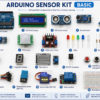
Reviews
There are no reviews yet.